 Zinn® Chat
Saved replies, suggested replies and summaries
Answer common questions with a shortcut, let the AI draft a reply, and sum up a long thread.
Three tools sit above every chat and ticket reply box.
This guide is about Zinn® Chat Pro. Every Pro plan starts with a free trial.
Create saved replies
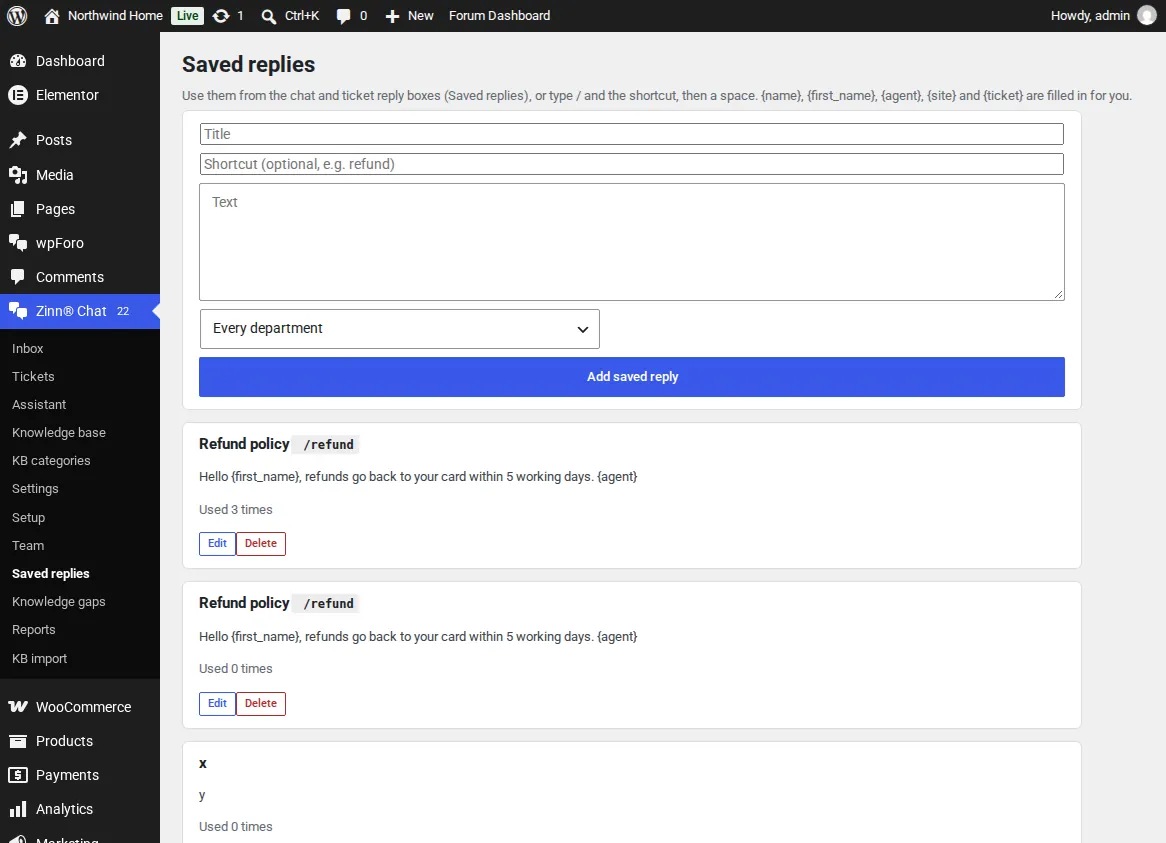
Open Zinn® Chat, Saved replies. Give each a title, an optional shortcut and the text. {name}, {first_name}, {agent}, {site} and {ticket} are filled in when it is used.
Use them
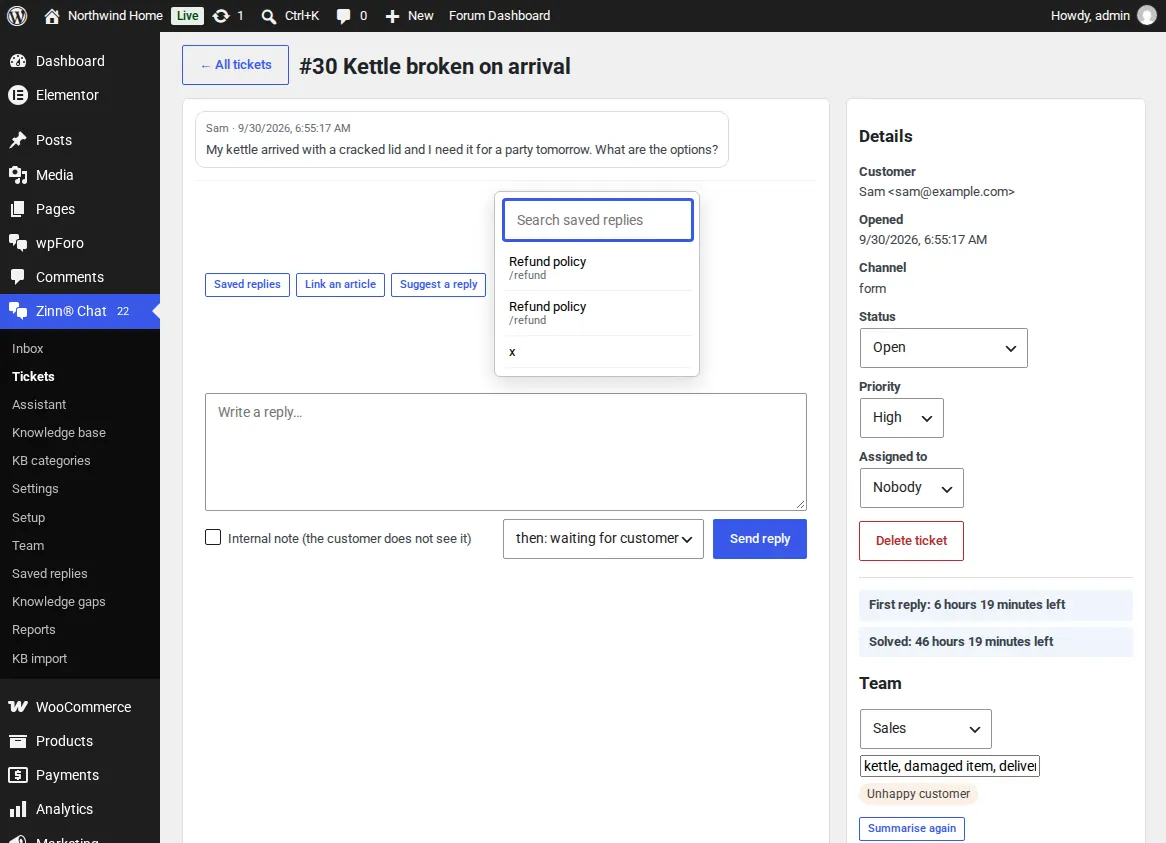
Choose Saved replies above the reply box and search, or type / and the shortcut followed by a space, for example /refund.
Suggest a reply
Suggest a reply drafts an answer from the conversation, your site's pages and your saved replies, in the customer's language. Check it and send it. Where a fact is missing it writes [CHECK].
Summarise a thread
On a ticket, Summarise writes a few lines on what the customer needs and what is still open, for whoever takes it over.
Link an article, beside Saved replies, inserts a link to a knowledge base article in one click.
Related guides
- Start Zinn® Chat Pro
- Add support agents, departments and the phone app
- Business hours and SLA targets
- Let customers reply to tickets by email
- Slack, Teams, Telegram, push and webhooks
- AI persona, hand-off rules, triage and extra sources
- Find and fill knowledge gaps
- Build a knowledge base in WordPress
- Import an existing knowledge base
- Proactive chat messages
- Help desk reports and customer ratings
- White-label the help desk
- Zinn® Chat shortcodes: every shortcode and attribute
Included with Zinn Digital® hosting
Already installed on every WordPress site we host
The free Zinn® Chat plugin comes installed and activated on every WordPress site we host on our own servers, so a chat is one switch away. Premium is an upgrade, per site, when you need more.