 Zinn® Chat
Find and fill knowledge gaps
See the questions your site could not answer and turn them into help articles in one click.
A question lands in the report when the assistant could not answer it from your site, or when a visitor rated its answer, or an article, not helpful.
This guide is about Zinn® Chat Pro. Every Pro plan starts with a free trial.
Open the report
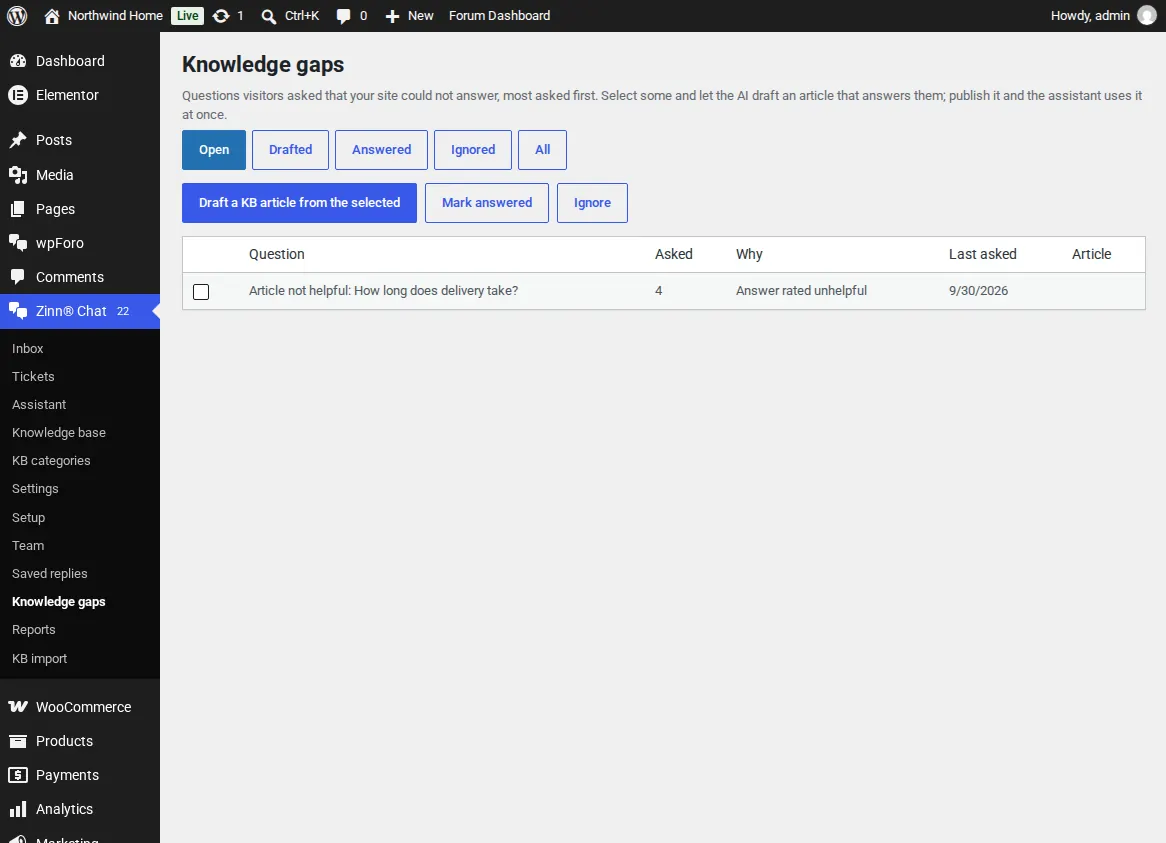
Open Zinn® Chat, Knowledge gaps. The same question asked in different words counts as one, most asked first, with a link to the chat it came from.
Draft an answer
Tick one or more questions and choose Draft a KB article from the selected. The AI writes a draft from the questions and your pages, marks anything it could not know with [FILL IN], and removes personal details.
Publish
Check the draft and publish it. The assistant uses it at once and the questions move to Answered.
You can also write an article straight from a solved ticket, from the ticket screen.
Related guides
- Start Zinn® Chat Pro
- Add support agents, departments and the phone app
- Saved replies, suggested replies and summaries
- Business hours and SLA targets
- Let customers reply to tickets by email
- Slack, Teams, Telegram, push and webhooks
- AI persona, hand-off rules, triage and extra sources
- Build a knowledge base in WordPress
- Import an existing knowledge base
- Proactive chat messages
- Help desk reports and customer ratings
- White-label the help desk
- Zinn® Chat shortcodes: every shortcode and attribute
Included with Zinn Digital® hosting
Already installed on every WordPress site we host
The free Zinn® Chat plugin comes installed and activated on every WordPress site we host on our own servers, so a chat is one switch away. Premium is an upgrade, per site, when you need more.