 Zinn® Chat
Opening hours and missed-chat emails
Set Zinn® Chat opening hours in your time zone and choose where unanswered conversations are emailed.
Two settings make sure no visitor waits for nothing: an email address for missed conversations, and — on Premium — opening hours.
Choose where missed chats go
In Live chat → Settings, enter an address under “Email missed conversations to”. A conversation with no reply after 5 minutes is sent there once, with up to 20 of its messages.
Set opening hours (Premium)
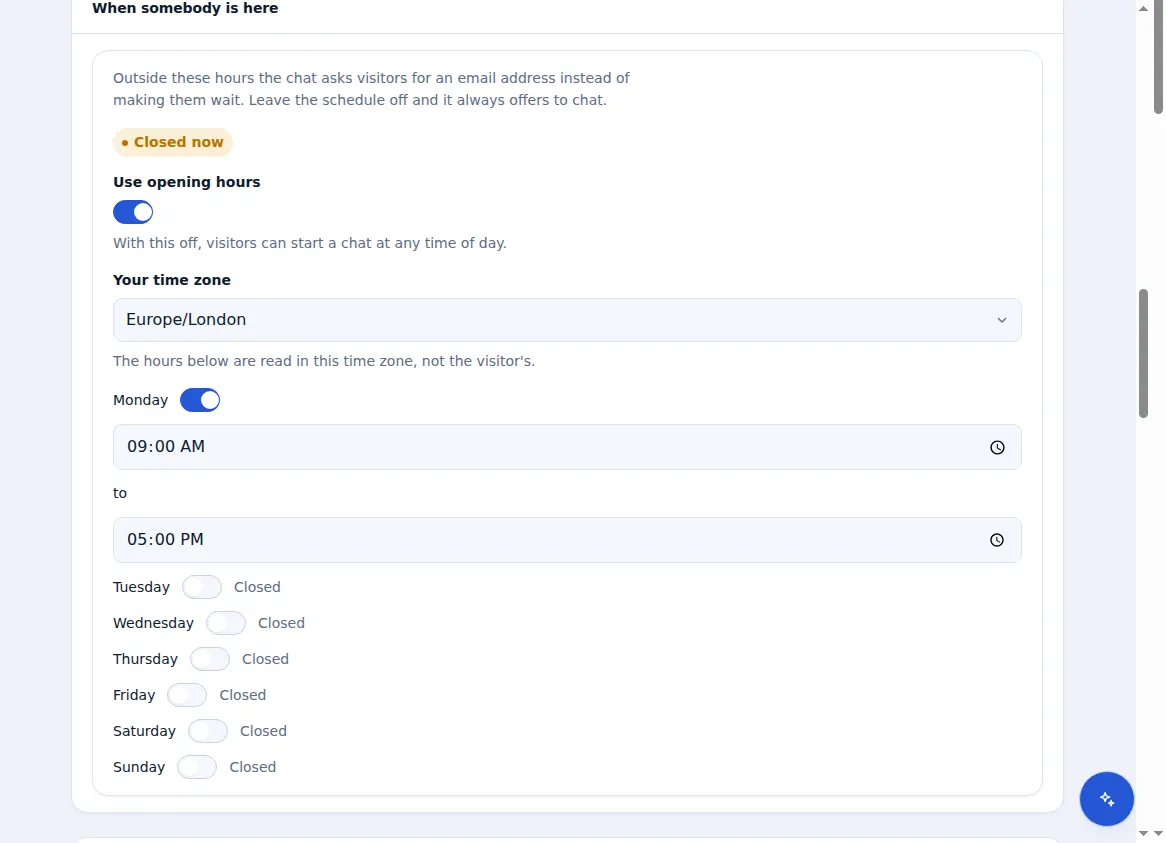
Under “When somebody is here”, tick “Use opening hours”, choose your time zone and set when you open and close.
What visitors see when you are closed
Outside your hours visitors are asked for an email address, so you can reply when you are back.
If you send email from your own verified domain with Zinn Digital®, missed-chat emails come from that domain.
Included with Zinn Digital® hosting
Already installed on every WordPress site we host
The free Zinn® Chat plugin comes installed and activated on every WordPress site we host on our own servers, so a chat is one switch away. Premium is an upgrade, per site, when you need more.