 Zinn® Chat
Set up the AI assistant and teach it your site
How the assistant reads your site, how to test its answers and see their sources, and how to fix a wrong answer.
The assistant answers only from your own site, links the page it used, and says so when your site does not have the answer.
Choose how it answers
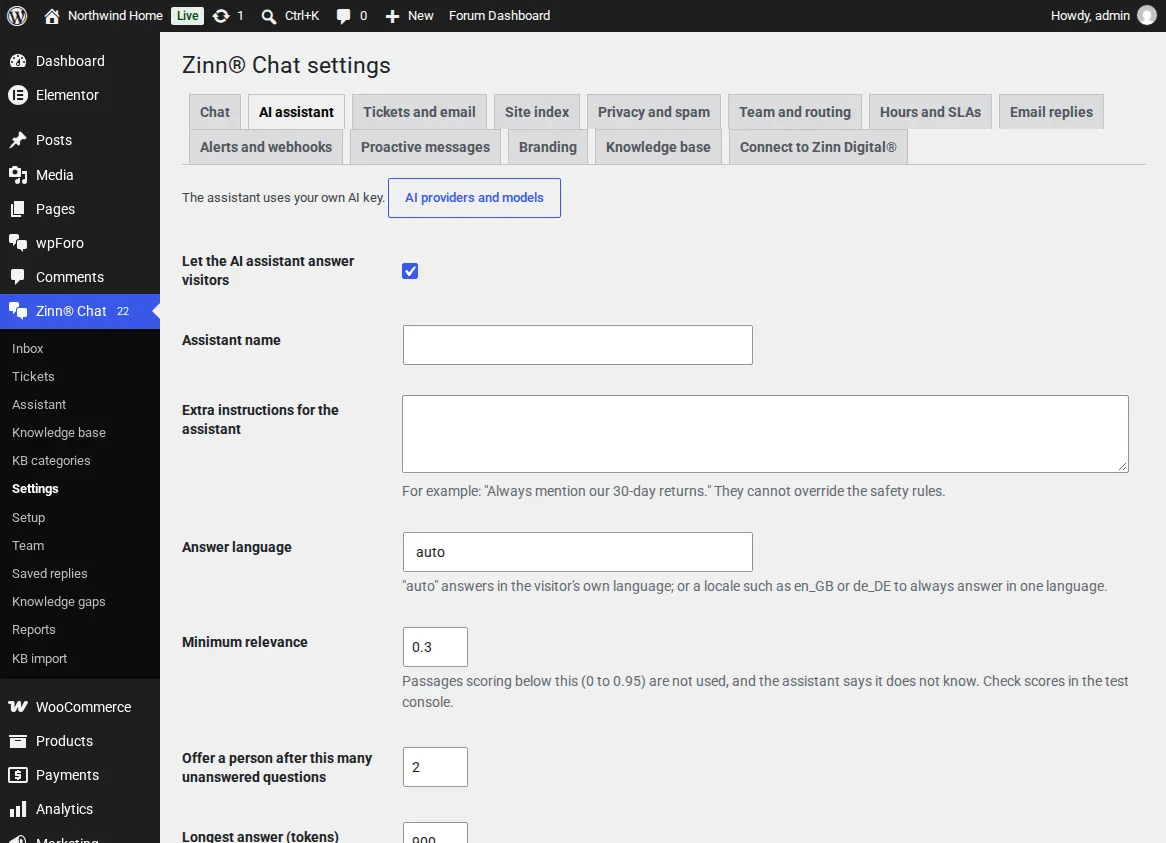
In Settings, AI assistant, give it a name, add extra instructions (for example: always mention our 30-day returns), choose the answer language or leave it on auto to answer in each visitor's language, and set when to offer a person.
Let it read your site
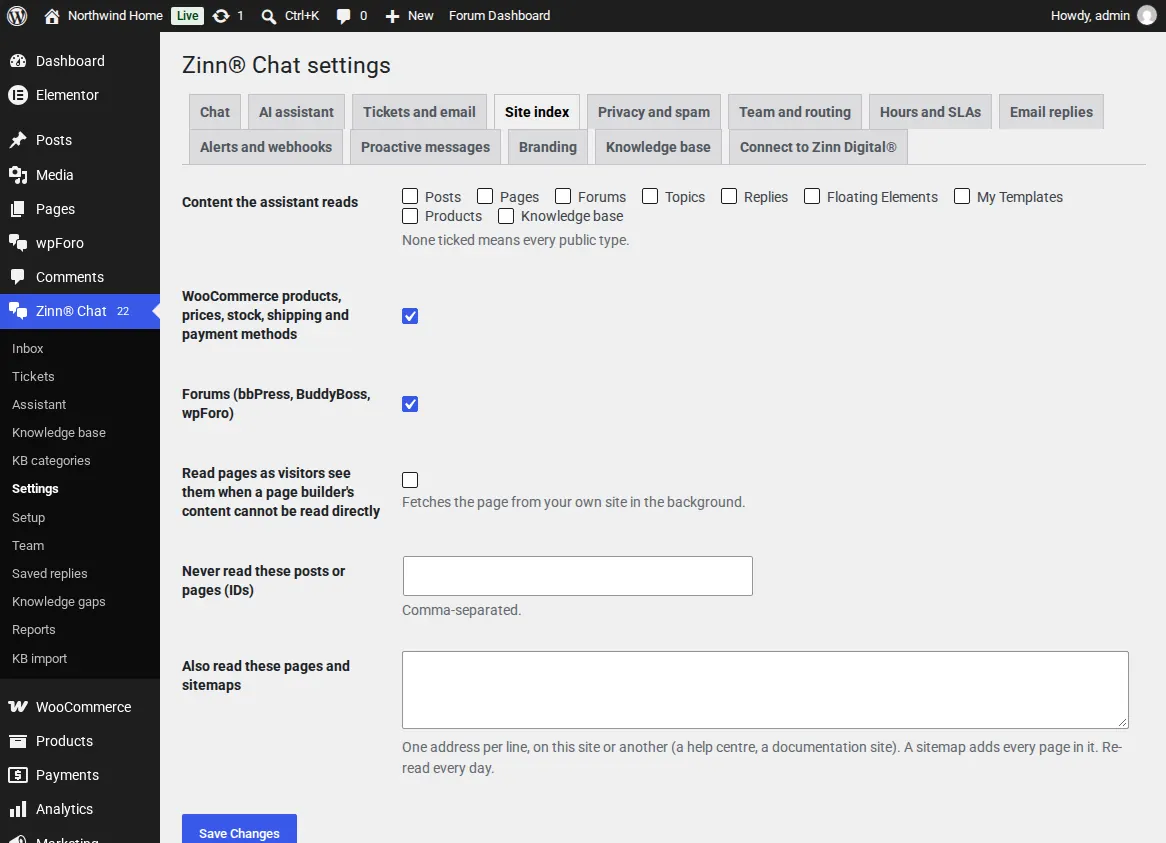
Once the chat is on, the assistant reads every published page, post, product and forum topic in the background, including content built with Elementor, Divi, Beaver Builder, Bricks, Page Builder Sandwich and ACF. New and edited pages are read again by themselves, and pages that are removed leave its index.
Choose what it reads
In Settings, Site index, pick the content types, WooCommerce and forums, and list pages it should never read. Pages marked noindex or protected by a password are never read.
Test it before visitors do
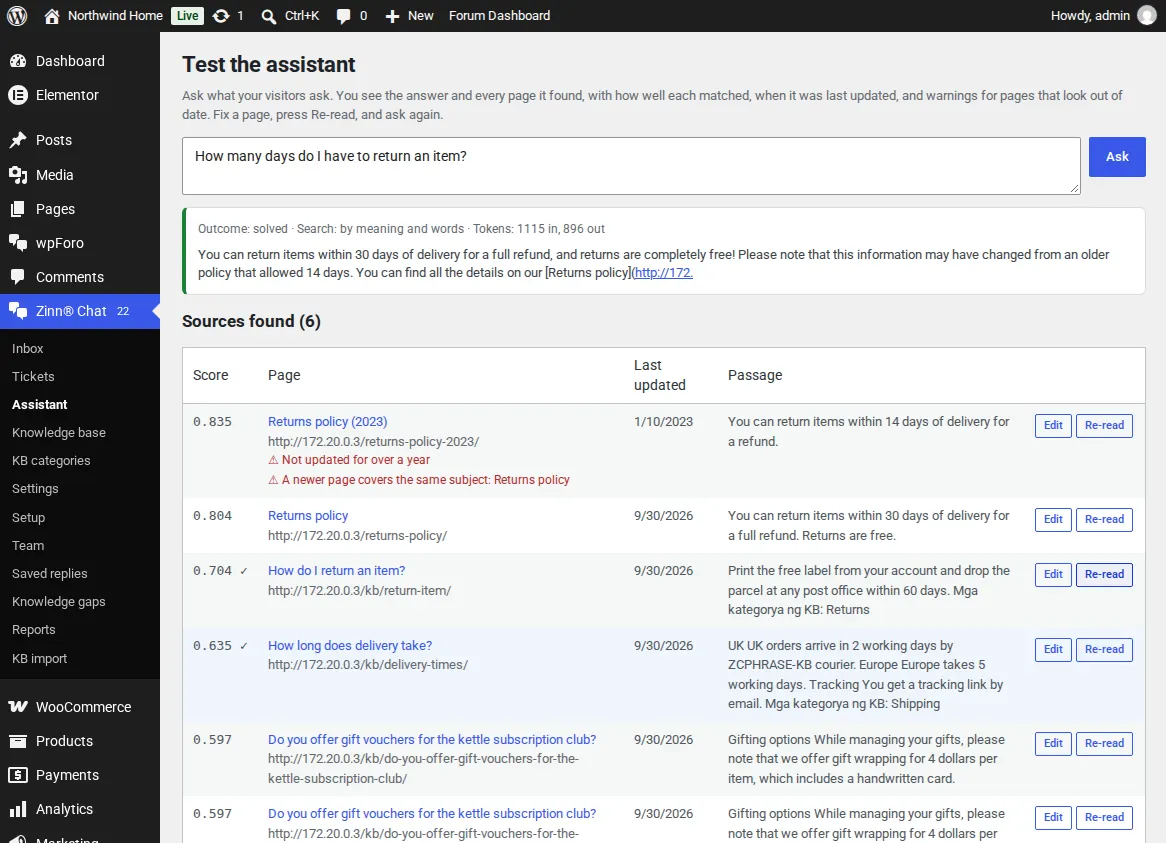
Open Zinn® Chat, Assistant and ask a question. You see the answer and every page it found, with its score, address and last update. A page not updated for over a year, or one a newer page contradicts, is flagged.
Fix a wrong answer at the source
Edit the page the answer came from, then press Re-read next to it and ask again. Use Re-read the whole site or Rebuild all meanings after bigger changes.
Your AI key is stored encrypted in your own database. Text is sent only to the AI provider whose key you added.
Related guides
- Install Zinn® Chat on WordPress and switch it on
- Answer live chats in WordPress
- Support tickets, the support page and ticket emails
- WooCommerce: the Support tab and order questions
- Chat and support elements for blocks and page builders
- Privacy, consent and spam protection
- Zinn® Chat shortcodes: every shortcode and attribute
Included with Zinn Digital® hosting
Already installed on every WordPress site we host
The free Zinn® Chat plugin comes installed and activated on every WordPress site we host on our own servers, so a chat is one switch away. Premium is an upgrade, per site, when you need more.