 Zinn® Chat
Zinn® Chat
Features
A free chat box for any website. It replies straight away, hands the conversation to you when a person is needed, emails you anything nobody picked up — and with the AI chat agent it answers from your own pages.
On your website
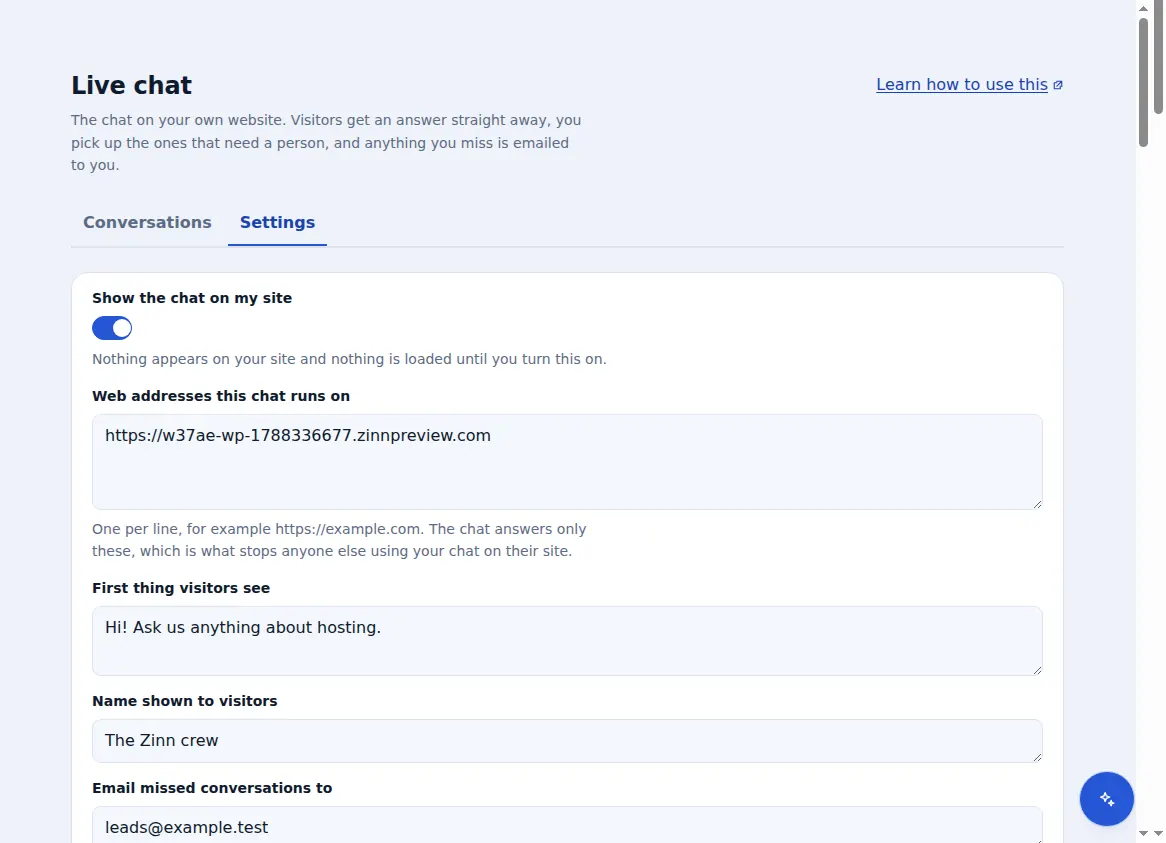
Zinn® Chat is a small launcher in the corner of your site. Nothing is built until the browser has finished with your page, so the chat never competes with your content for the first second a visitor sees — and at about 9 KB compressed it costs your pages next to nothing.
You decide how it looks: your colour, bottom-right or bottom-left, the team name visitors see and the first thing it says. The chat is sealed off from your stylesheet, so your theme cannot break it and it cannot restyle your page.
- Loads after your page is ready
- A greeting of up to 200 characters
- Mirrors to the other corner on right-to-left pages
- Your logo in the chat on Premium
One inbox for every conversation
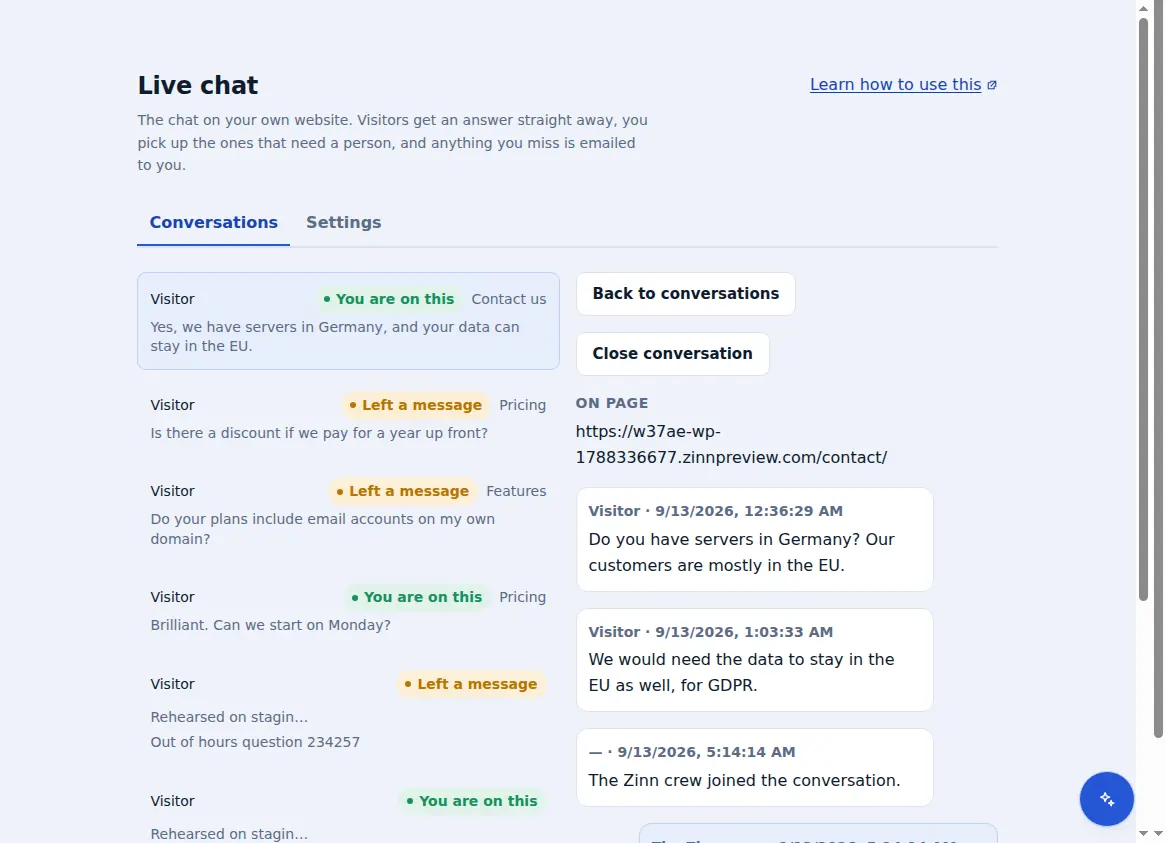
Every conversation from every site on your account arrives in one inbox in your Zinn Digital® dashboard, newest first, with the page the visitor was on. Open one to read everything the visitor and the assistant have said, reply, and close it when it is done.
Switch the assistant on and each visitor gets a reply straight away. It hands the conversation to you for orders, payments, complaints, or anyone who asks for a person — and once you reply, it steps back and leaves the conversation to you.
- The page each visitor was on
- The assistant hands over for orders, money and complaints
- 100 assistant replies a month free
- 5,000 assistant replies a month on Premium
Nobody waits unseen
A conversation nobody answers within 5 minutes is emailed to the address you choose, with up to 20 of its messages and how to reply, so an out-of-hours question is still a lead in the morning.
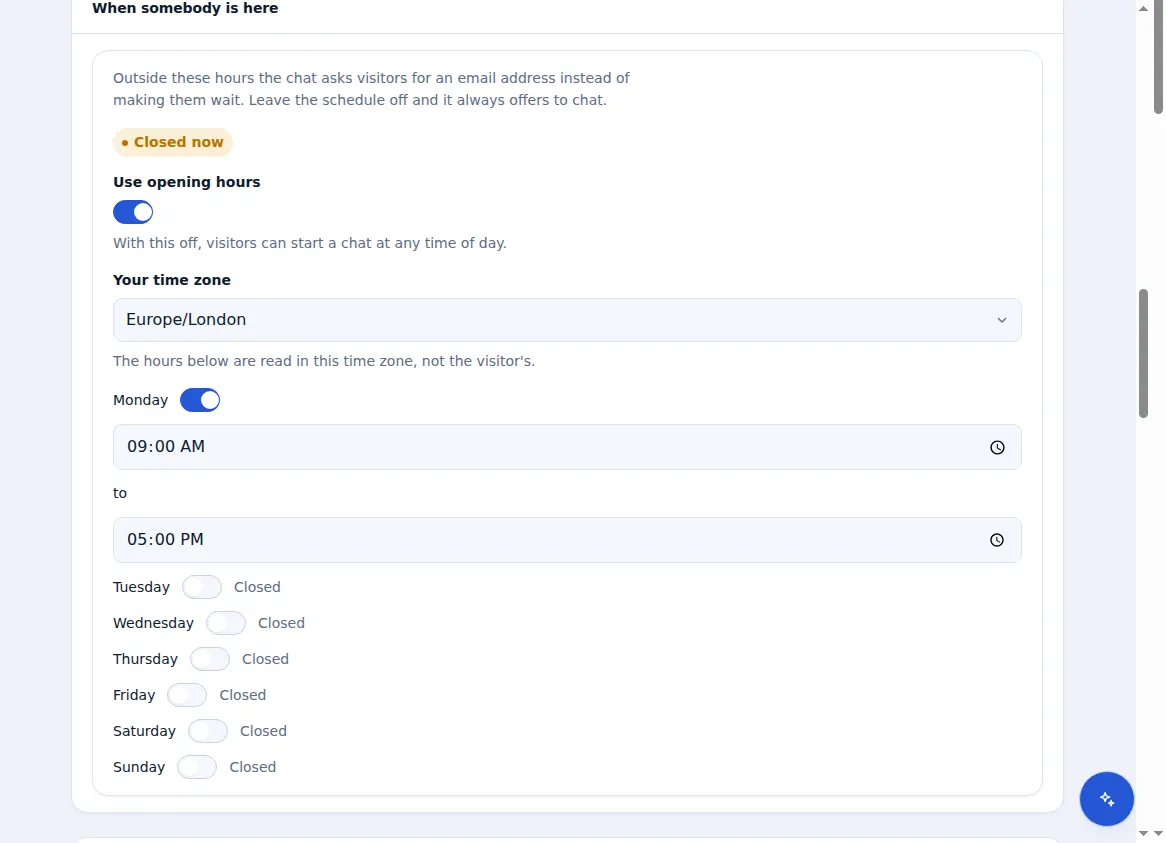
On Premium, set when your team is there, day by day, in your own time zone. Outside those hours the chat asks visitors for an email address instead of leaving them waiting for a reply that is not coming.
- Missed chats emailed after 5 minutes
- Opening hours for each day, in your time zone (Premium)
- Visitors leave an email address when you are closed
Answers from your own pages
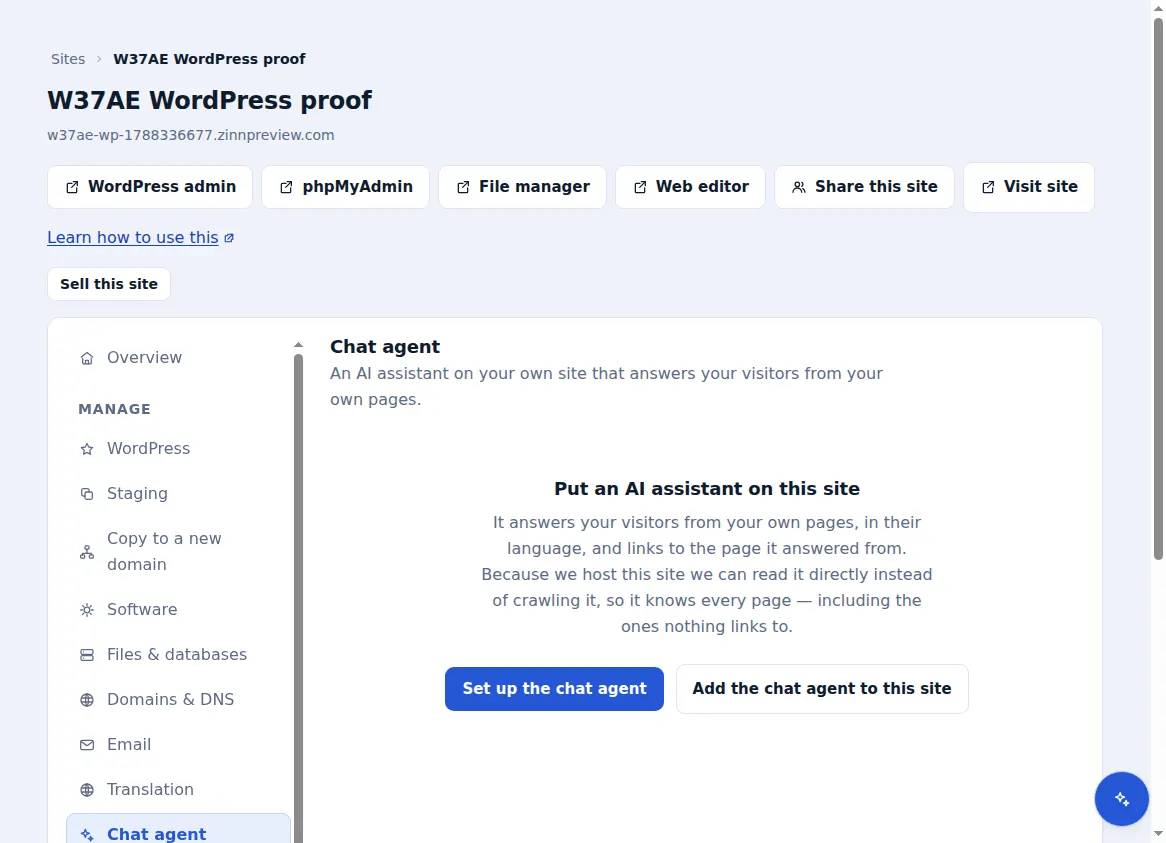
Add the AI chat agent to a site and the assistant answers from what your website actually says. On a site we host it reads your pages straight from the server, including pages nothing links to; on any other site it reads your sitemap and follows links, up to 120 pages. You can add notes it should know that are not on any page.
It answers only from what it found, in two or three sentences, in the visitor's language, and links to the pages it used. It is told never to invent prices, opening hours, phone numbers or policies — with nothing to go on, it says so and offers a person.
- Reads up to 120 pages per site
- Links every answer to the page it came from
- 2,000 messages a month per site
- Stops at its allowance instead of charging you more
Your AI key, or our credits
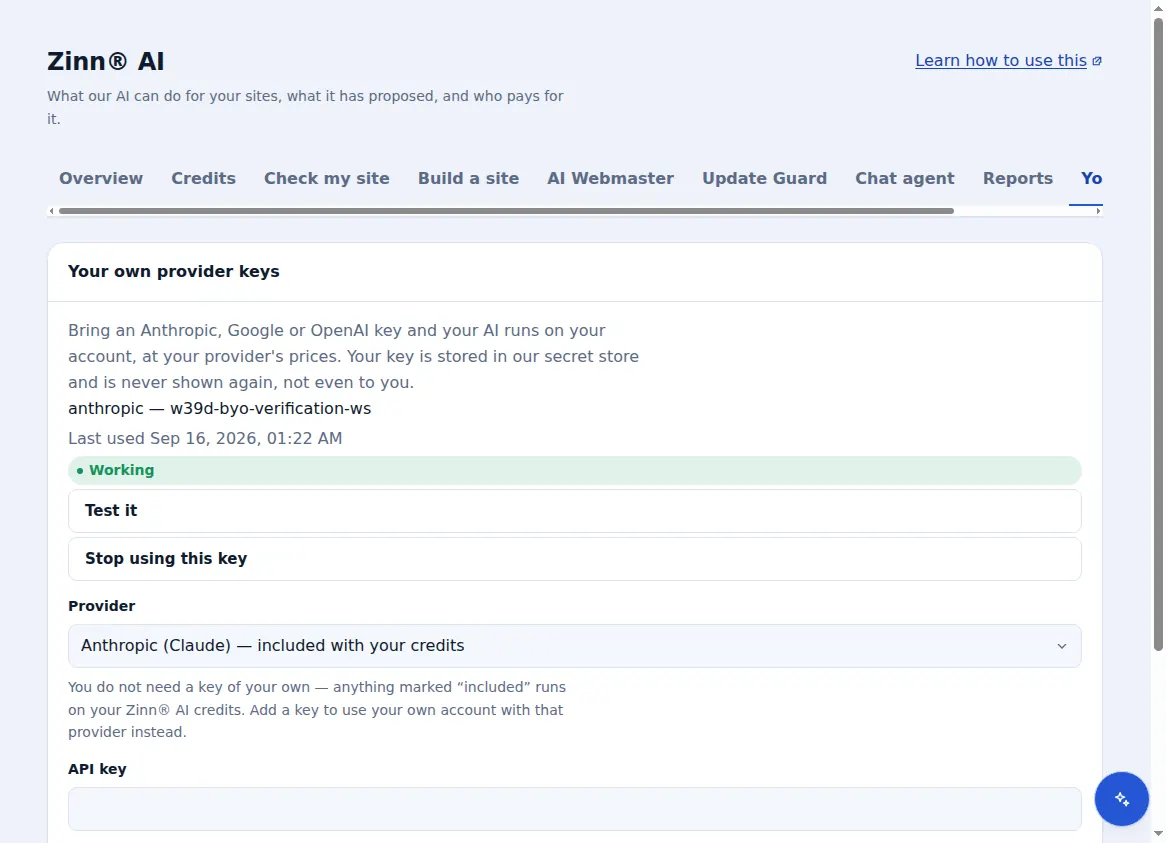
The AI chat agent's answers are paid from Zinn® AI credits by default, so there is nothing to set up. If you would rather use your own account with an AI provider, add your key and the agent runs on it, at that provider's prices.
If the provider has an outage, or your own key has a billing problem, your visitors never see the provider's name or its error message. You see the real cause in your dashboard, and what to do about it.
- Zinn® AI credits by default
- Your own Anthropic, Google or OpenAI key
- Visitors never see a provider error
Install it anywhere
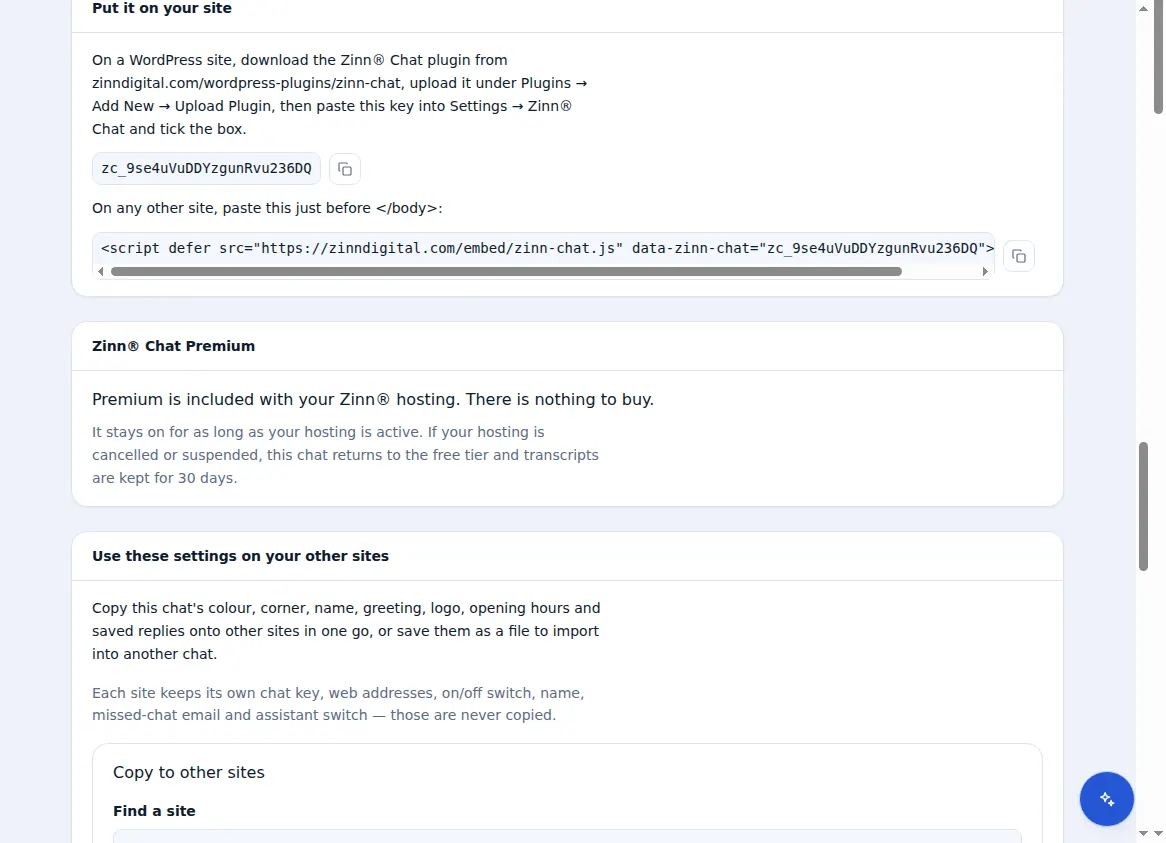
On any website, paste one line of script just before the closing body tag. On WordPress, install the Zinn® Chat plugin, paste your chat key into its settings and tick the box — it appears on every page and makes no request until a visitor opens it.
Each chat lists the web addresses it may run on, so nobody can copy your snippet and run your chat, or spend your allowance, on their own site.
- One line of script for any site
- A WordPress plugin for WordPress 6.9 and PHP 7.4 or later
- Refuses to run on an address you did not list
Across all your sites
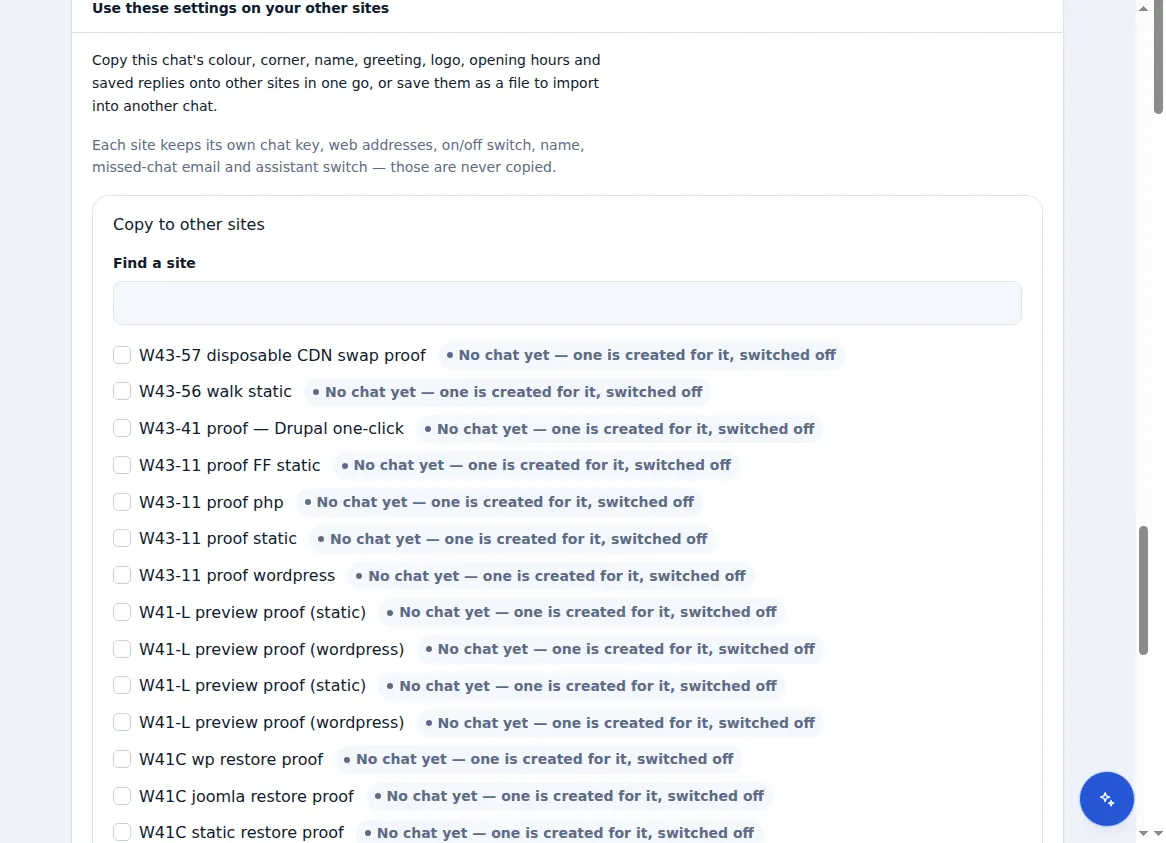
Every site has its own chat with its own look, greeting and missed-chat address. Set one up the way you like, then copy its colour, corner, name, greeting, logo and opening hours to your other sites in one step — or export them to a file and import them anywhere. You see exactly what will change before anything is saved.
A chat's key, its web addresses, its on/off switch, its missed-chat email and its assistant switch are never copied: they belong to one site, so one client's chat can never run on another's.
- Copy settings to many sites at once
- Export and import settings as a file
- The free plugin is preinstalled on every WordPress site you host with Zinn Digital®
Included with Zinn Digital® hosting
Already installed on every WordPress site we host
The free Zinn® Chat plugin comes installed and activated on every WordPress site we host on our own servers, so a chat is one switch away. Premium is an upgrade, per site, when you need more.