 Zinn® Chat
Build a knowledge base in WordPress
Articles and categories, the help centre pages, search in the chat, shortcodes and blocks, and how the KB works with SEO plugins and translation.
The knowledge base is part of Zinn® Chat Pro. Articles are ordinary WordPress content, so your editor, your SEO plugin and your translation plugin work with them.
This guide is about Zinn® Chat Pro. Every Pro plan starts with a free trial.
Write articles and categories
Open Zinn® Chat, Knowledge base, and add articles in the block editor or Page Builder Sandwich. In KB categories, give each category a description, an order and an icon (a Dashicons name or an emoji). Categories can have sub-categories.
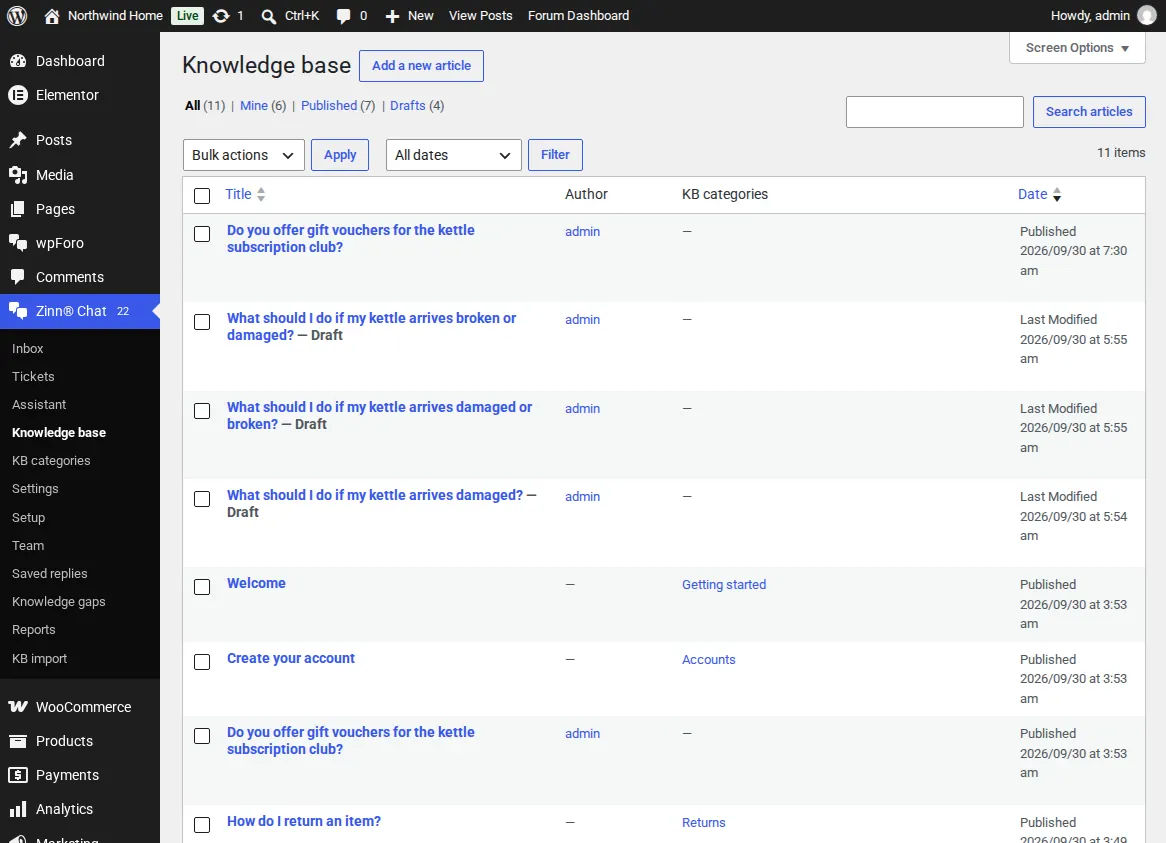
Choose the address and the look
In Settings, Knowledge base, choose the address (for example /help/), the home page title, the columns, how many articles each category card lists, and the table of contents, the Was this helpful question and related articles.
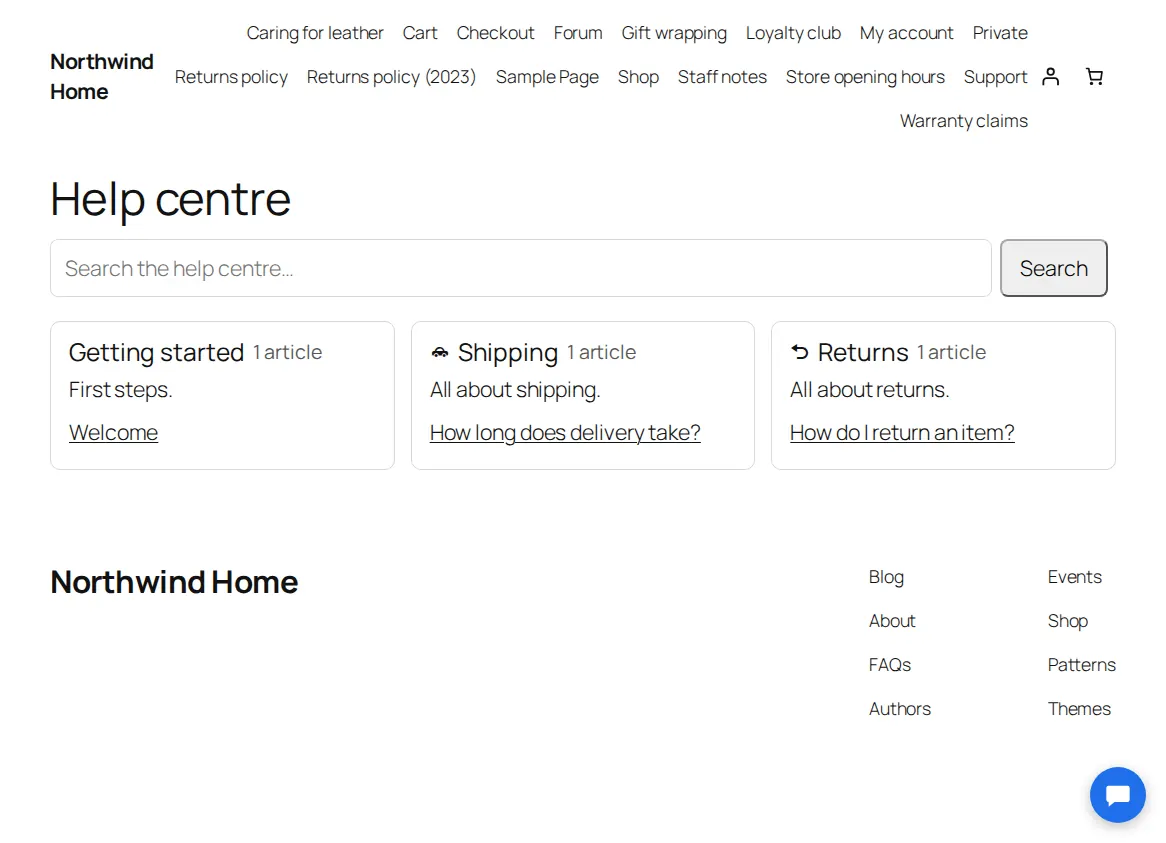
The help centre pages
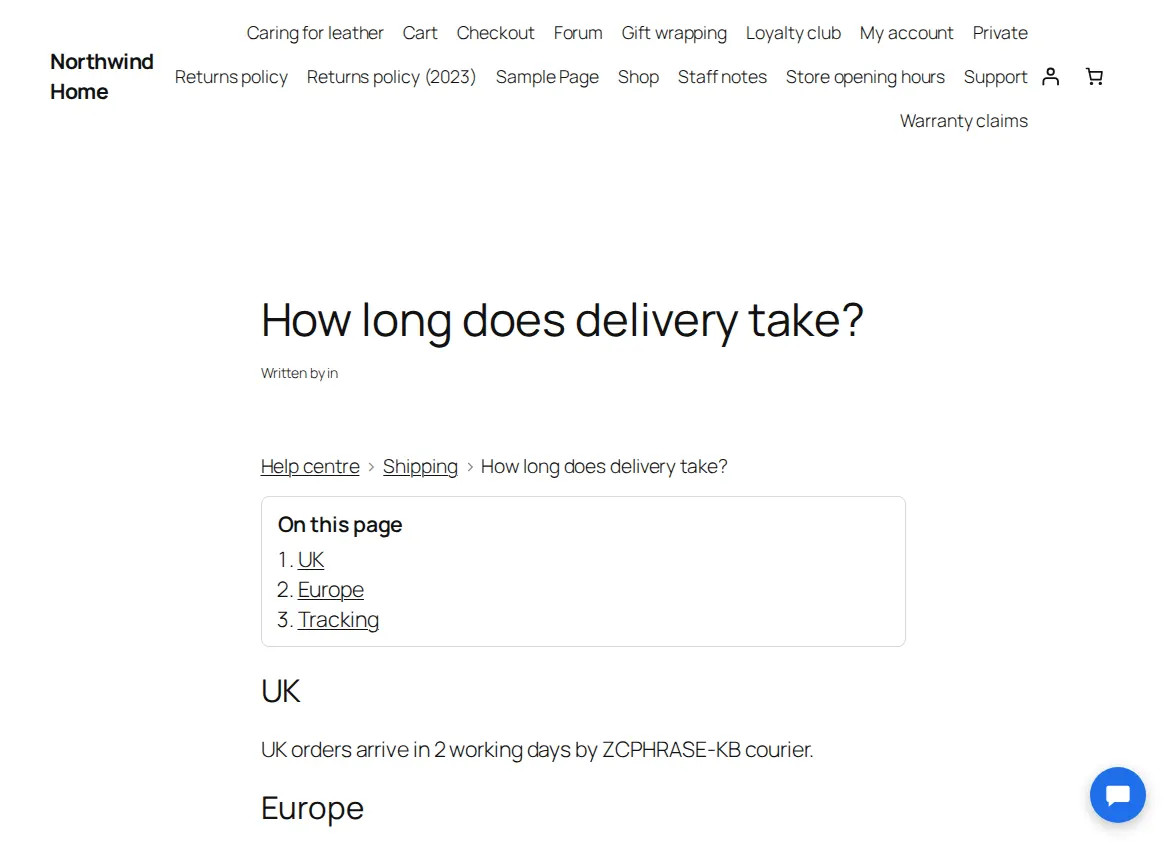
The home page shows a search box and the category cards; each category has its own page; each article has breadcrumbs and a table of contents. In your theme's style, in a block theme or a classic one.
Search engines
Articles and categories are in your sitemaps. With Yoast, Rank Math, SEOPress or All in One SEO active, they handle titles and structured data; without one, Zinn® Chat adds a description and Article and breadcrumb data.
In the chat
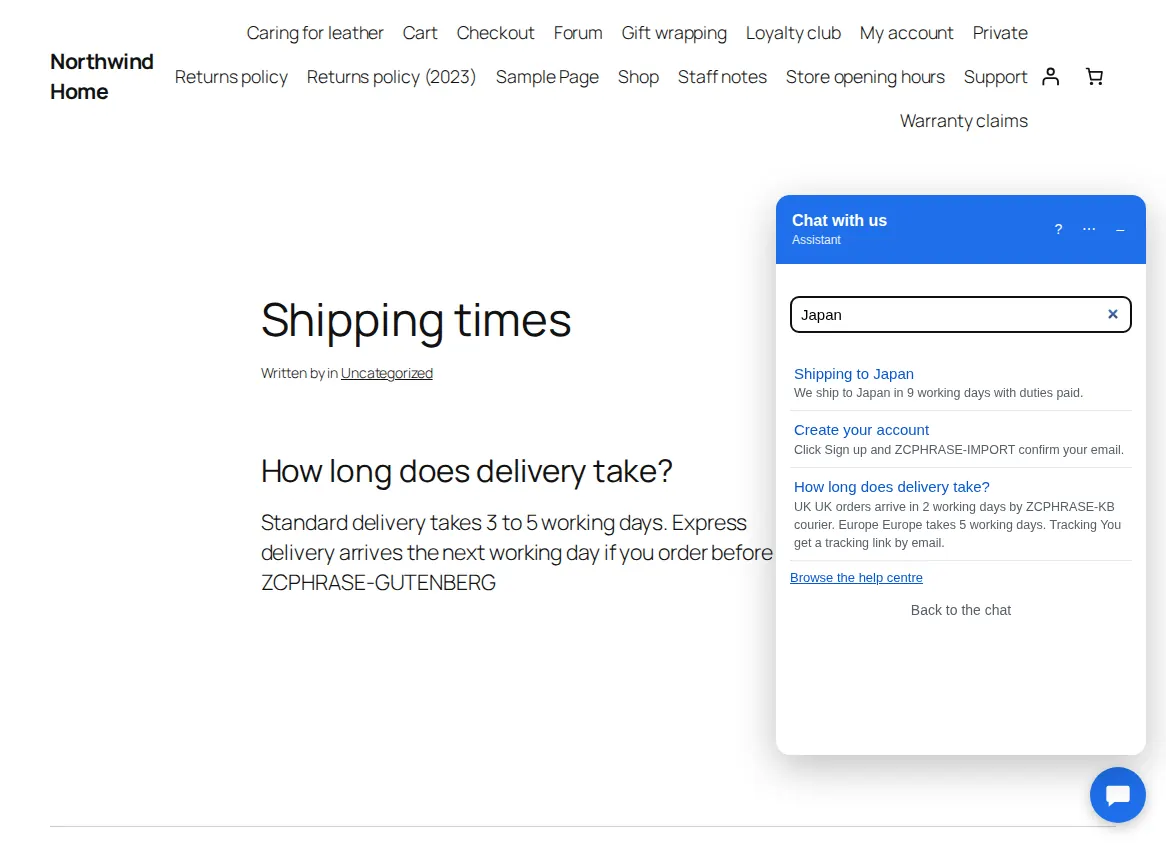
Visitors search articles from the question mark button in the chat window, the assistant suggests matching articles under its answers, and agents insert an article link in one click.
With Tranzly, articles, categories and their addresses are translated like the rest of your site.
Related guides
- Start Zinn® Chat Pro
- Add support agents, departments and the phone app
- Saved replies, suggested replies and summaries
- Business hours and SLA targets
- Let customers reply to tickets by email
- Slack, Teams, Telegram, push and webhooks
- AI persona, hand-off rules, triage and extra sources
- Find and fill knowledge gaps
- Import an existing knowledge base
- Proactive chat messages
- Help desk reports and customer ratings
- White-label the help desk
- Zinn® Chat shortcodes: every shortcode and attribute
Included with Zinn Digital® hosting
Already installed on every WordPress site we host
The free Zinn® Chat plugin comes installed and activated on every WordPress site we host on our own servers, so a chat is one switch away. Premium is an upgrade, per site, when you need more.