 Zinn® Chat
Answer conversations in the inbox
How to see, answer and close live chat conversations in the Zinn® Chat inbox, and what visitors see while they wait.
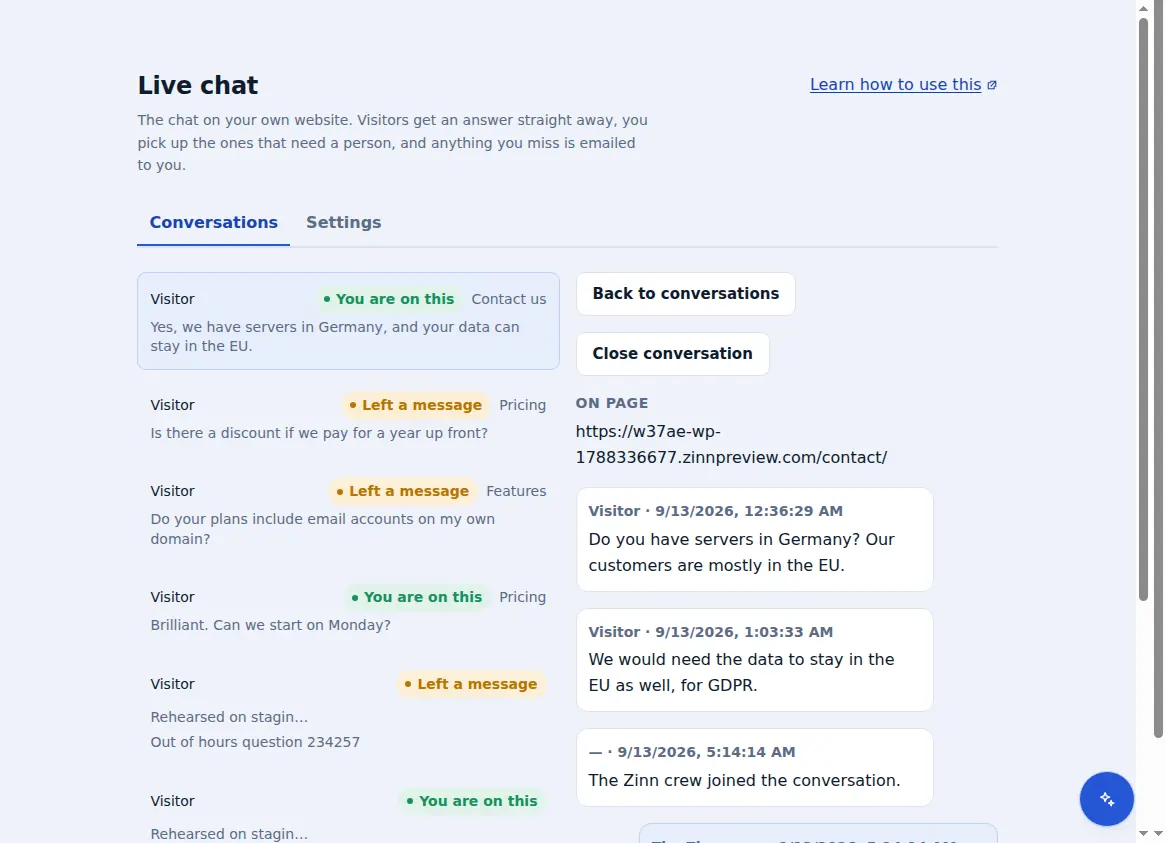
Every conversation from your chats arrives in one inbox in your dashboard.
Open the inbox
In your dashboard, open Live chat. The Conversations tab lists every open conversation, newest first.
Read the context
Open a conversation to see everything the visitor and the assistant have said, and the page the visitor was on.
Reply
Type your reply and send it. Once you reply, the assistant steps back and leaves the conversation to you.
Close it
Choose “Close conversation” when it is finished, so the inbox shows only what still needs you.
New conversations appear while the Live chat page is open. When you are not watching, anything unanswered for 5 minutes is emailed to you.
Included with Zinn Digital® hosting
Already installed on every WordPress site we host
The free Zinn® Chat plugin comes installed and activated on every WordPress site we host on our own servers, so a chat is one switch away. Premium is an upgrade, per site, when you need more.