 Zinn® Chat
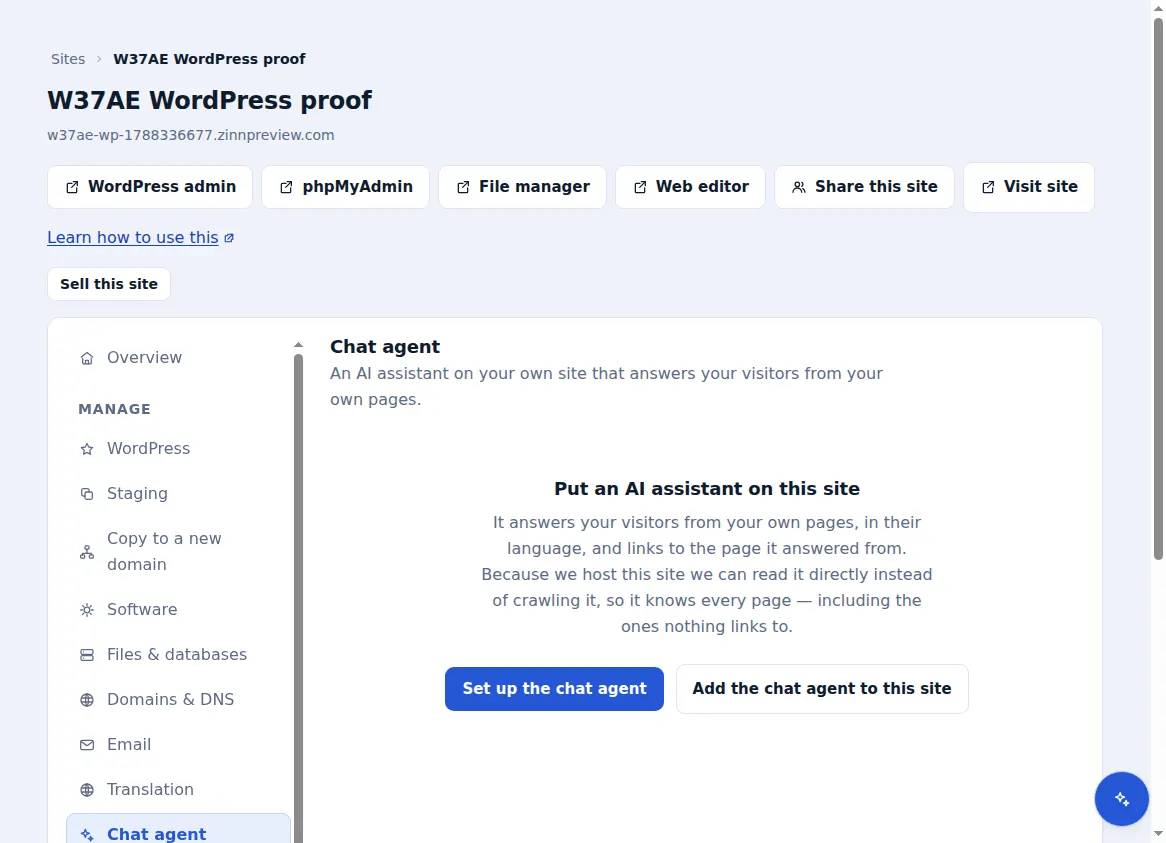
Set up the AI chat agent
Add the AI chat agent to a site, choose what it reads, and let it answer visitors from your own pages with links to its sources.
The AI chat agent is added per site. Once it has read your pages it answers visitors from them.
Add the agent to a site
In your dashboard, open the site, then Chat agent, and choose “Add the chat agent to this site”.
Choose what it reads
Under “What it reads”, it starts with your site. Use “Add something for it to read” for notes such as delivery times or opening hours that are not on a page.
Let it read
It reads up to 120 pages. After you change your site, use “Read everything again” so its answers stay current.
Put it on your site
On a site we host, switch on “Let the assistant answer first” in Live chat and the agent answers inside your chat. On any other site, use “Copy the snippet” and paste it before the closing body tag.
When the monthly message allowance is used, the agent stops answering until next month rather than charging more.
Included with Zinn Digital® hosting
Already installed on every WordPress site we host
The free Zinn® Chat plugin comes installed and activated on every WordPress site we host on our own servers, so a chat is one switch away. Premium is an upgrade, per site, when you need more.