 Zinn® Chat
Chat widget troubleshooting
Fix the common reasons a Zinn® Chat widget does not appear, does not answer, or does not email missed conversations.
Most problems come down to one of these.
The button does not appear
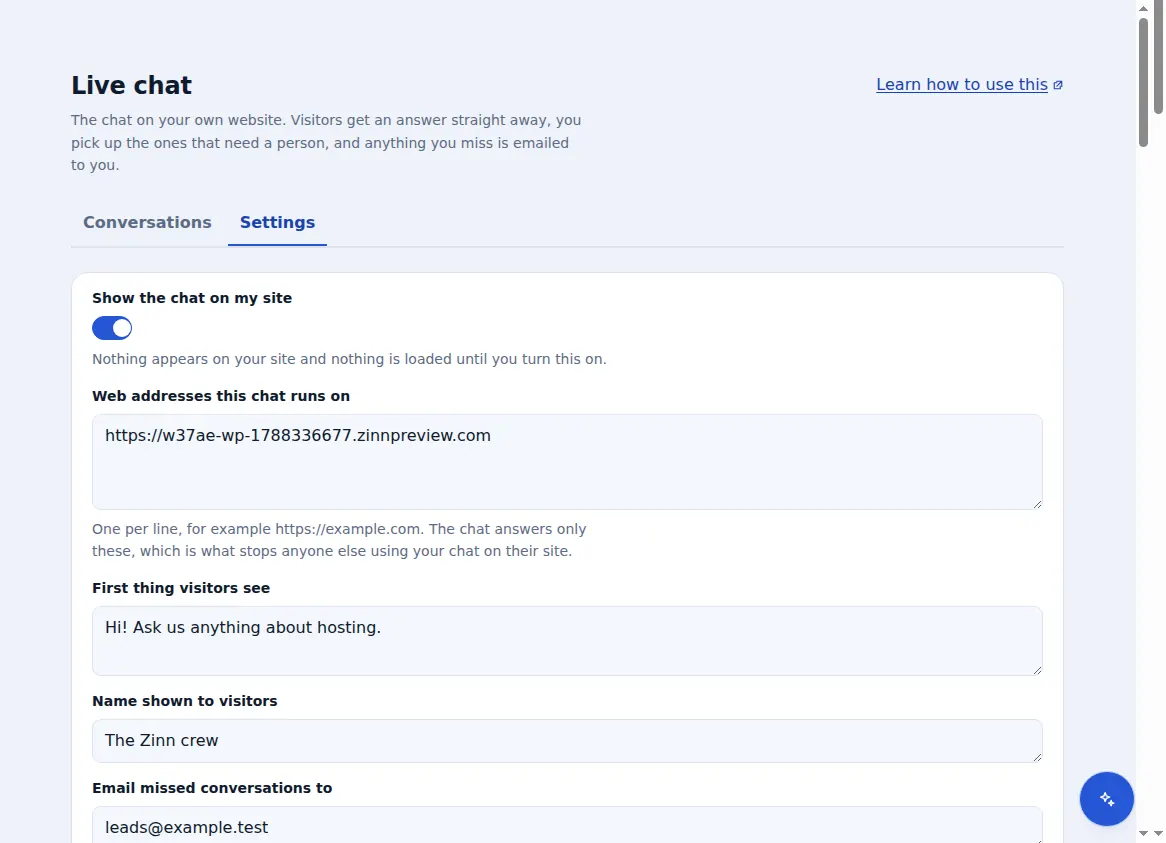
Check “Show the chat on my site” is ticked, the exact address in your browser is under “Web addresses this chat runs on”, and your cache has been cleared.
The assistant does not reply
Check “Let the assistant answer first” is on and this month's assistant replies are not used up. Without replies left, questions come to you instead.
It answers but not from my pages
Answers from your own pages need the AI chat agent on that site. Check it has finished reading, and use “Read everything again” after big changes.
No missed-chat emails
Check the address under “Email missed conversations to”, and your spam folder. An email is sent once per conversation, after 5 minutes without a reply.
Still stuck? Contact us from your dashboard and include the web address where the chat should appear.
Related guides
Included with Zinn Digital® hosting
Already installed on every WordPress site we host
The free Zinn® Chat plugin comes installed and activated on every WordPress site we host on our own servers, so a chat is one switch away. Premium is an upgrade, per site, when you need more.